> ## Documentation Index
> Fetch the complete documentation index at: https://doc.widebot.sa/llms.txt
> Use this file to discover all available pages before exploring further.
# APIs & Credentials
## Accessing Your API Credentials
To use AQL's AI APIs in your applications, you'll need your Bot ID and API Key.
### Step 1: Navigate to APIs
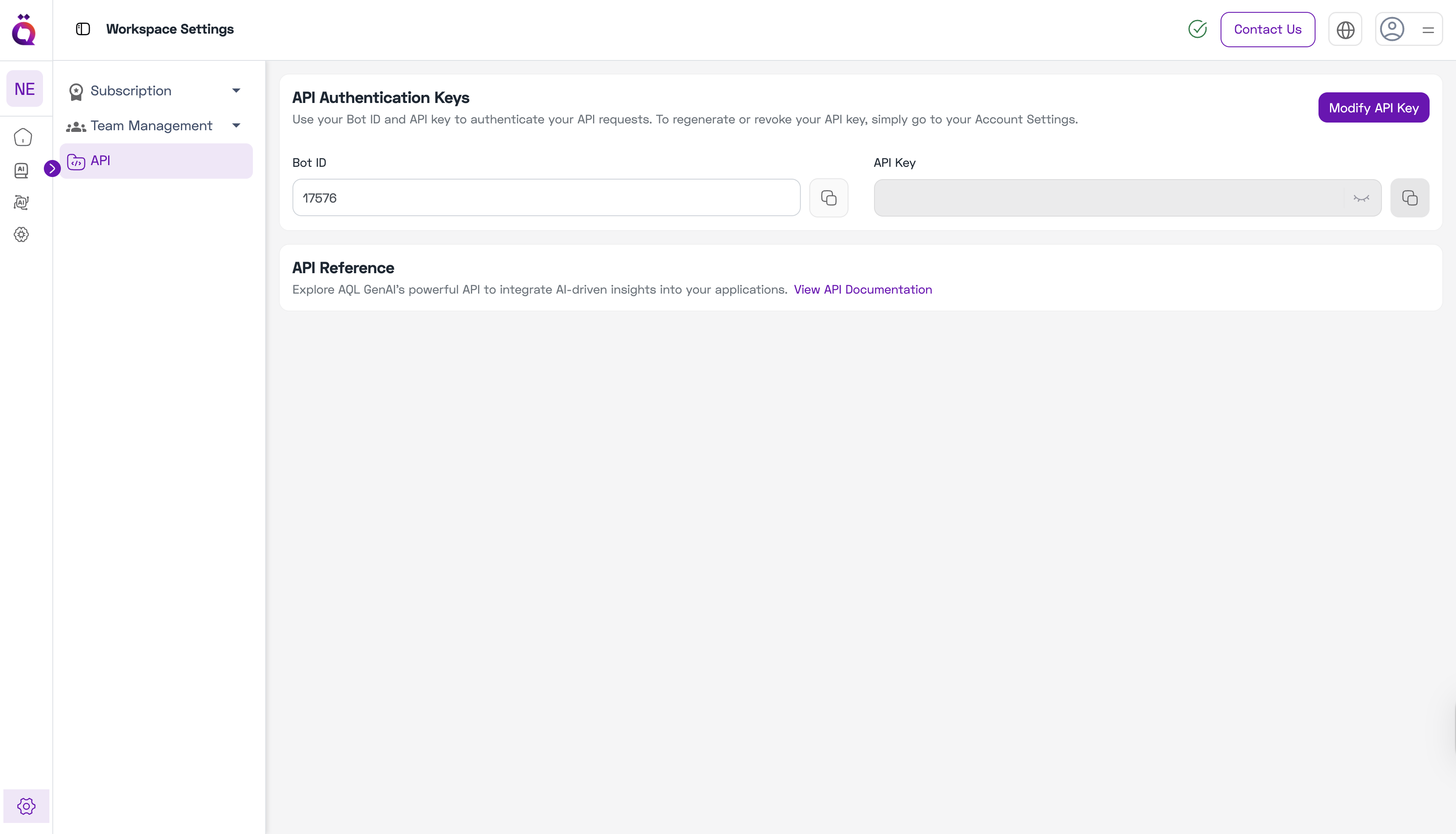
1. Go to **Workspace Settings** from the left sidebar.
2. Click on **APIs**.
3. You'll see your **Bot ID** displayed.
 ### Step 2: Generate or Modify API Key
1. Click on **Modify API** button.
2. You'll be taken to the **Account Settings** page.
### Step 2: Generate or Modify API Key
1. Click on **Modify API** button.
2. You'll be taken to the **Account Settings** page.
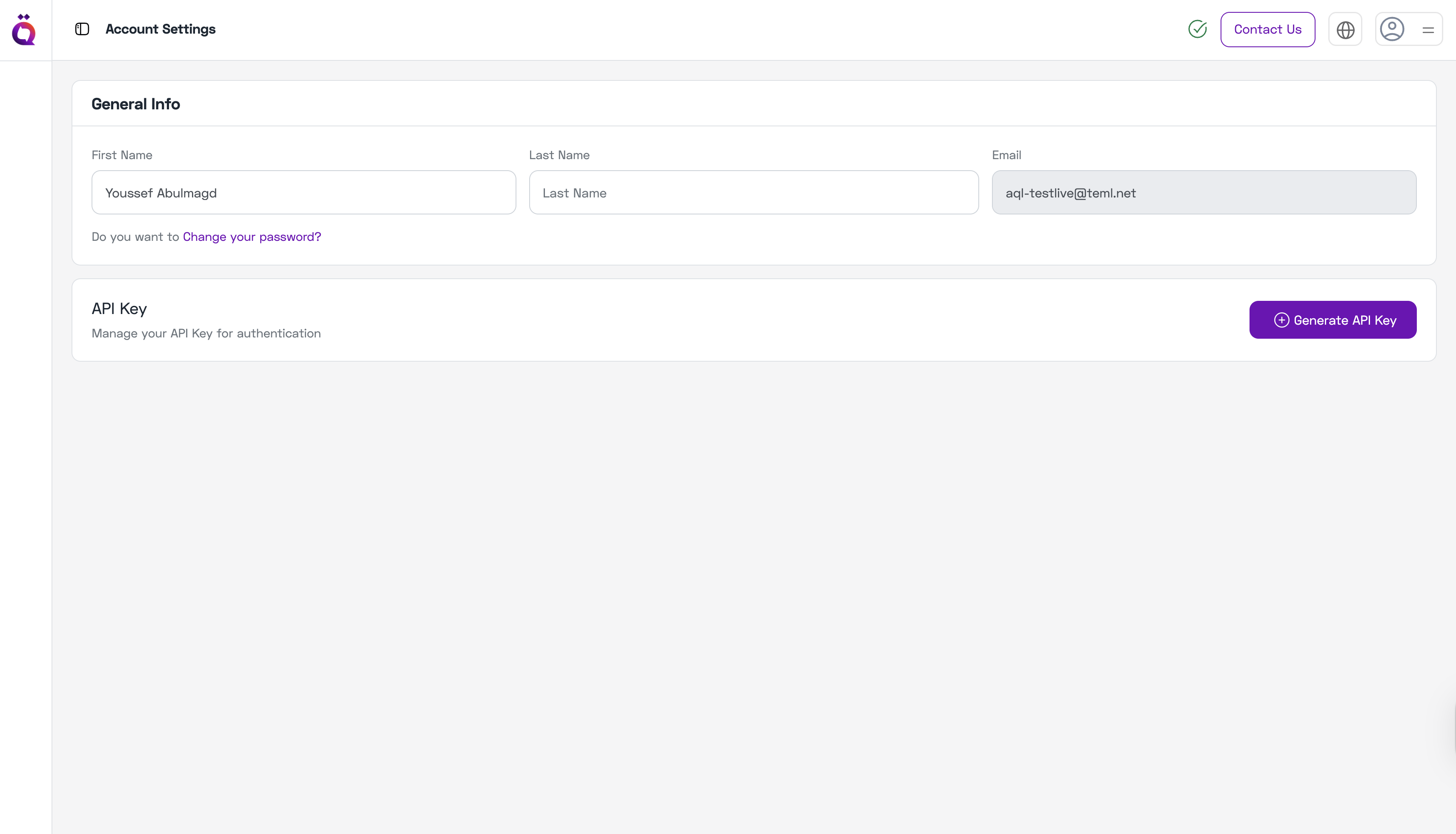 3. Generate a new API key from the Account Settings.
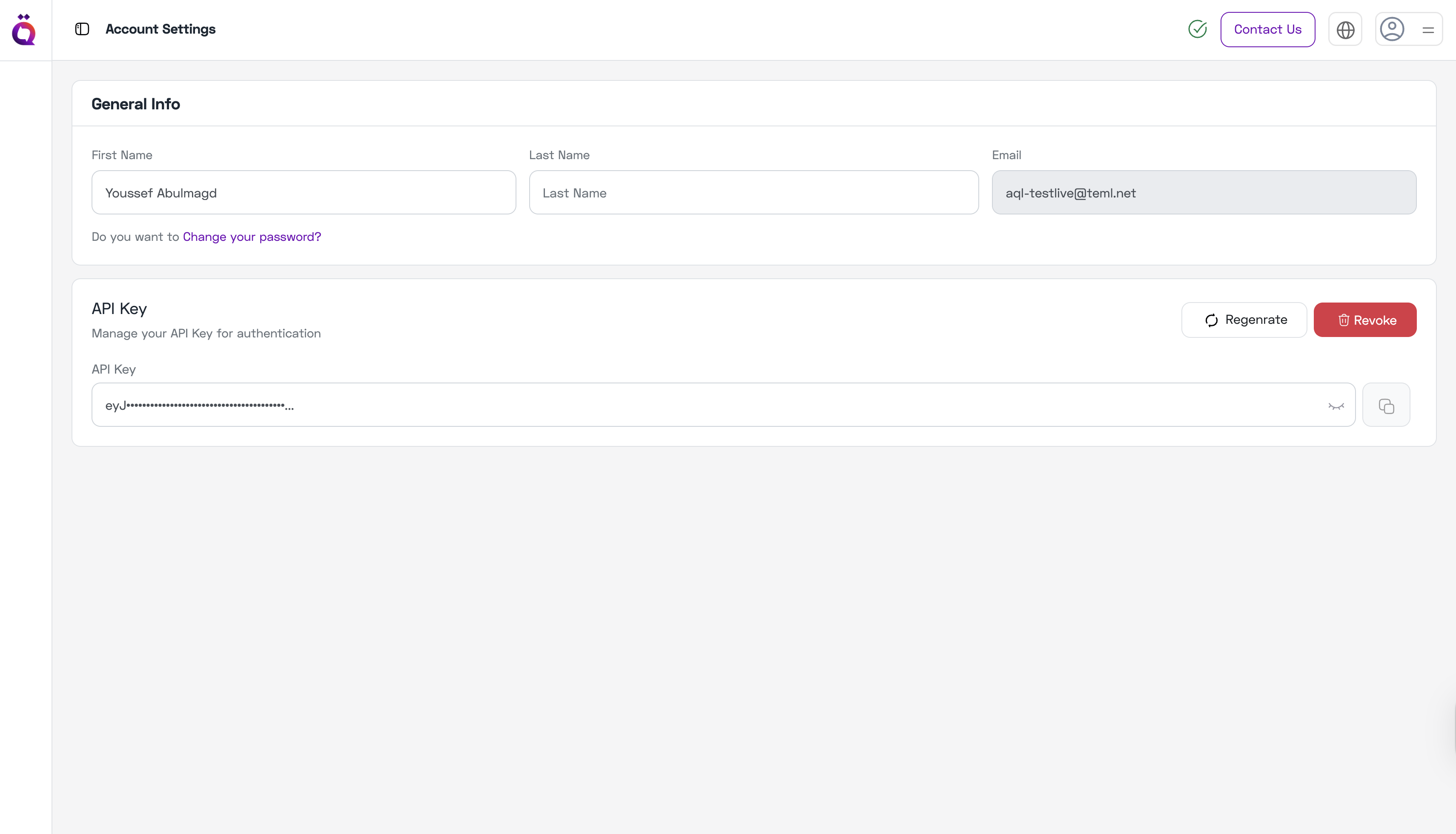 4. Return to **Workspace Settings → APIs** to see your API key displayed.
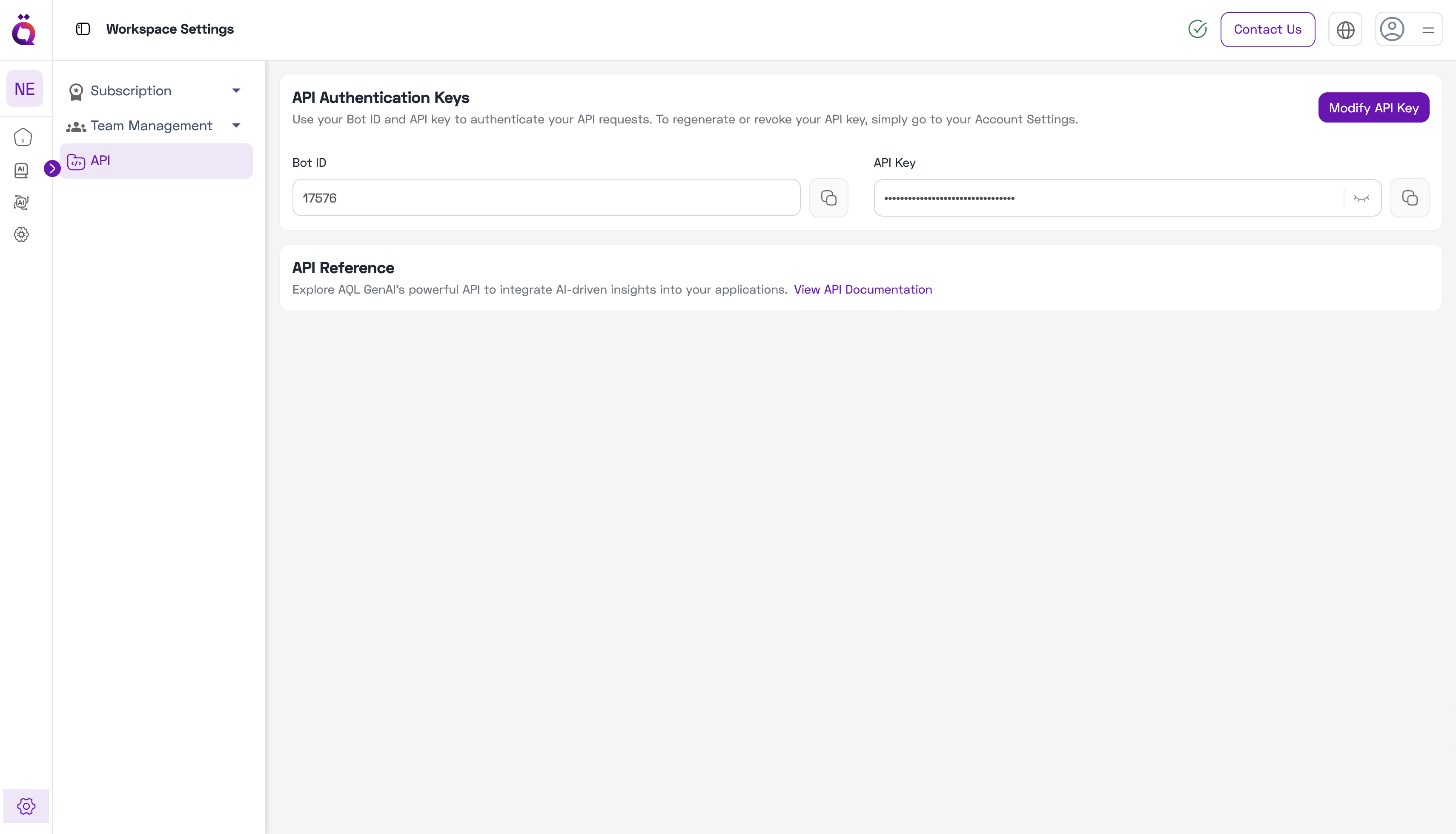 Keep your API credentials secure. Never share them publicly or commit them to version control.
## Using Your Credentials
Once you have your Bot ID and API Key:
* Use them to authenticate API requests to AQL services.
* See the [API Reference](/api-reference/introduction) for integration details.
* Rotate your API key regularly for security.
Keep your API credentials secure. Never share them publicly or commit them to version control.
## Using Your Credentials
Once you have your Bot ID and API Key:
* Use them to authenticate API requests to AQL services.
* See the [API Reference](/api-reference/introduction) for integration details.
* Rotate your API key regularly for security.